Amazon, Apple, Target and Walmart, split item by item
“AMAZON $187.42” becomes the four things you actually bought.
Bring in your Amazon, Apple, Target and Walmart purchases and every store charge in your transactions is split by item, each with its own category. The card you paid with decides which entity paid.
Transactions · Rivera Household
Needs review- Soccer cleats, youth 4Kids › Sports$54.99
- Paper towels, 12 rollsHousehold supplies$24.97
- Printer ink, black XLOffice supplies$42.49
- Dog food, 30 lbPets$64.97
What it does
Item by item
Soccer cleats go to Kids, paper towels to Household supplies, printer ink to the business. No more guessing what a charge was.
The right entity
Paid with the business card? The items land in the business’s books. Paid with the family card, the household’s.
Apple charges, finally explained
APPLE.COM/BILL $27.96 becomes iCloud+, a streaming plan and the game your kid bought. Send your Apple purchase history from the same Penny Shopping Helper, and refunds are matched back to the item.
Target and Walmart runs, itemized
That $213 WALMART trip becomes groceries, school supplies and a birthday gift. Send an order from target.com or walmart.com, online or in-store, and it splits the charge.
Two ways to bring orders in
Turn on Amazon sync with Penny Shopping Helper (Chrome, Edge or Brave on a computer), or download your orders file from Amazon and upload it.
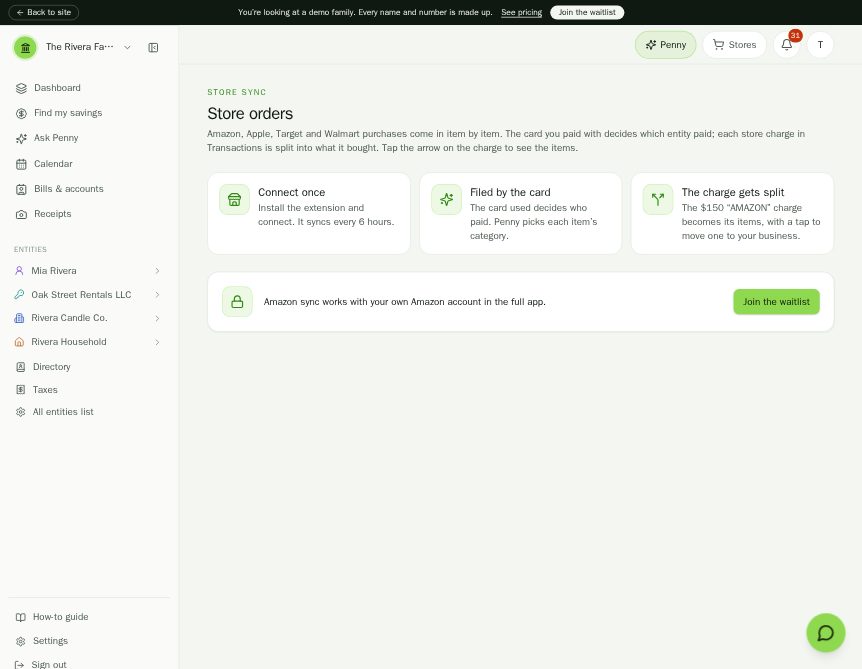
The real screen
From our demo family (every name and number is made up).
See exactly how
- Store orders (Amazon)Every Amazon charge split by item, so “AMAZON $187” becomes the actual things you bought.
- Apple purchasesSplit an APPLE.COM/BILL charge into the apps, iCloud+, games and subscriptions it actually paid for.
- Target and Walmart ordersSplit a TARGET or WALMART charge into the things in the cart, online or in store.
- The transaction details drop-downEverything you can do with one transaction: split, receipt, notes, contact, transfer, review.
Questions
Which plans include Amazon sync?
Amazon sync is on the Family plan and up.
How do Apple purchases come in?
Open Apple’s purchase history (reportaproblem.apple.com) Turn Apple on in Penny Shopping Helper once (while signed in to Apple) and this year’s purchases come in on their own, then new ones every few hours. Receipts already in the app are skipped.
Does it need my Amazon password?
No. Penny Shopping Helper reads your order history in your own signed-in browser, or you upload Amazon’s orders file yourself.
More features
Your family’s money, sorted.
Join the waitlist free. Your second month is on us.