Transactions
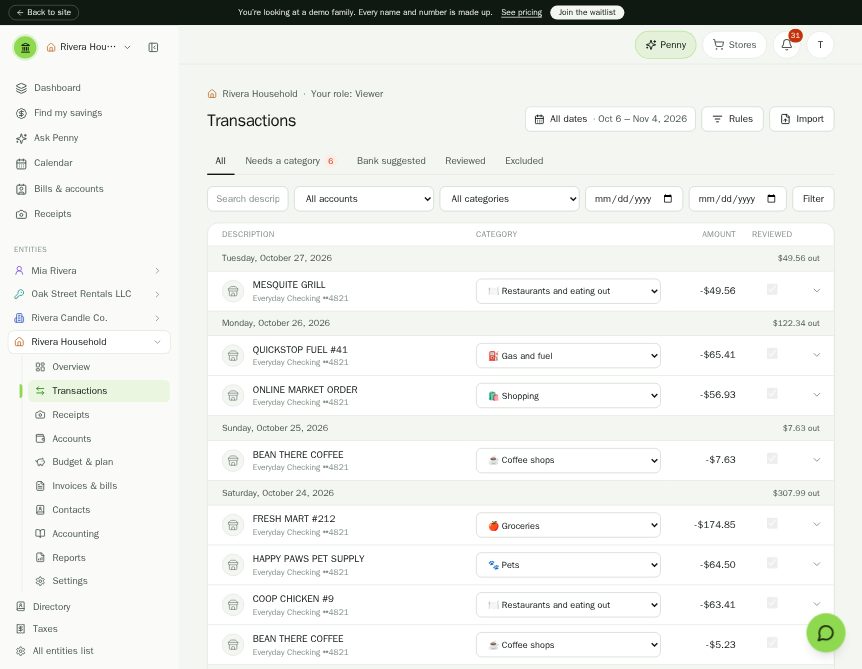
Every purchase, deposit and transfer for an entity, ready to categorize, search and filter.
Where it is in the app
Sidebar → click an entity → Transactions.
How it works
- 1Search by payee or amount, and filter by account, category, date range or “needs review”.
- 2Change a category straight from the list. That also teaches the app: future transactions from that payee go to the same category.
- 3Click a row (or the arrow on it) to open the details drop-down: split it, add notes, a receipt, a contact or a property.
- 4Import a bank file from Transactions → Import if an account can’t connect.
The transaction details drop-downCategory rulesStore orders (Amazon)Connecting bank, card and loan accounts
Want this for your family?
Hold my spot, free