Entities: households, businesses, rentals and kids
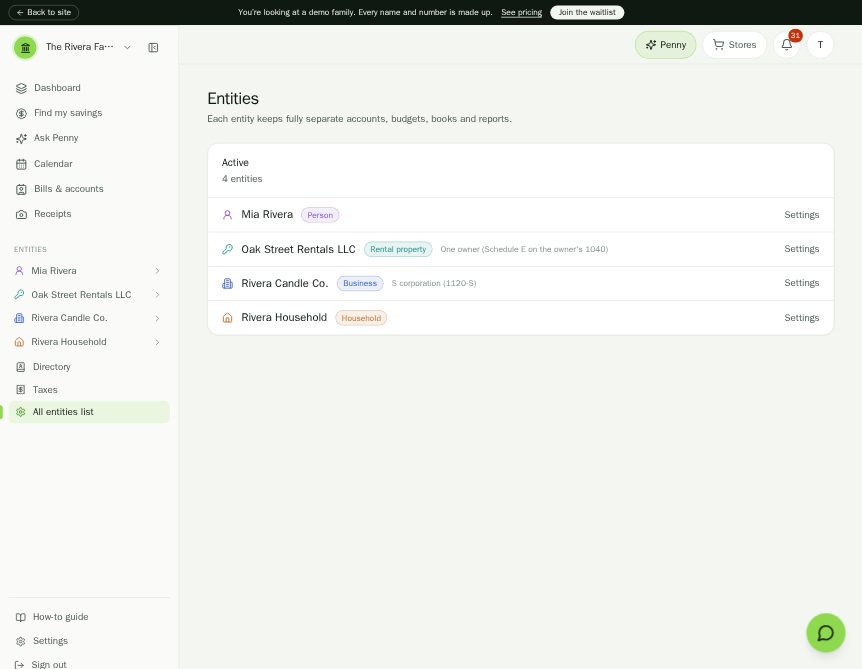
Each entity keeps its own separate accounts, budget, books and reports, all rolled up on the Dashboard.
Where it is in the app
Sidebar → the + next to Manage entities (also in the entity switcher at the top left).
How it works
- 1Tap the + next to Manage entities to add an entity. If your plan has no room for the kind you want, it shows what to upgrade to and takes you to Billing.
- 2Pick a type: Household (family money), Business, Rental (properties, Schedule E) or Person (a child or family member).
- 3Give it a name. Each type starts with its own chart of accounts and categories.
- 4Switch between entities from the sidebar or the switcher at the top left. Each entity has its own menu underneath it, and inside an entity the same menu runs as a bar across the top of every page (Overview, Transactions, Receipts, Accounts and so on), so you can jump between them from anywhere.
- 5To retire one, Archive it: it leaves the menus and reports, and every record is kept.
Want this for your family?
Hold my spot, free