Money calendar
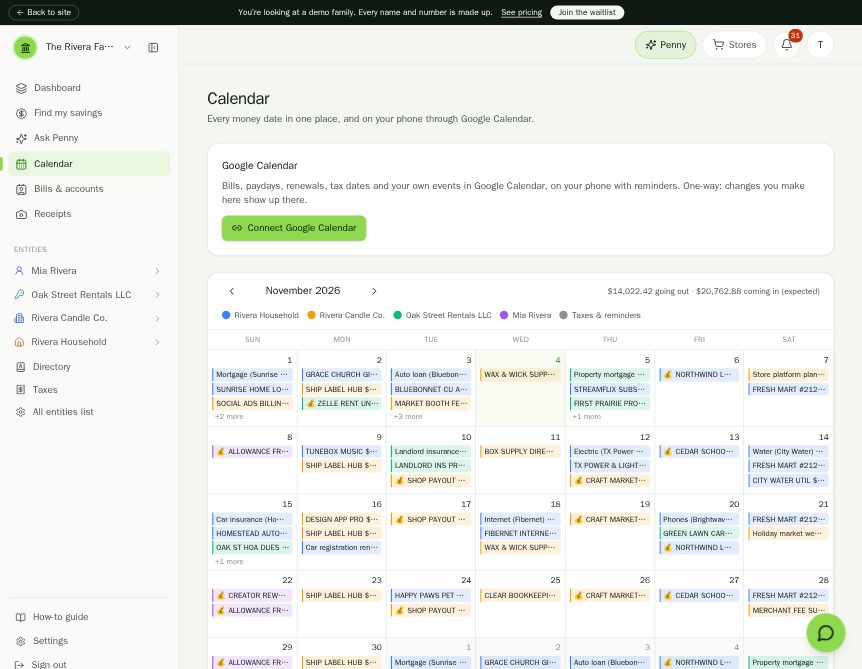
Every money date in one place: bills, paydays, invoices and reminders, with Google or Apple sync.
Where it is in the app
Sidebar → Calendar.
How it works
- 1Add an event (top right) adds a reminder for things that aren’t bills: registrations, renewals, planned sales, refunds.
- 2Coming up lists what’s next with the amounts on the right. Switch between 5 days, 14 days and This month. Delete one of your own events with the trash can next to it.
- 3Browse the month grid; click an item to open it.
- 4Edit what’s on calendar (at the bottom, tap the arrow to open it) lists the repeating charges & paydays: tap one to change the name, amount, how often or the next date, or take it off the calendar.
- 5Sync to your phone: connect Google Calendar, or copy the calendar address into Apple Calendar.
Want this for your family?
Hold my spot, free