Accounting: the chart of accounts
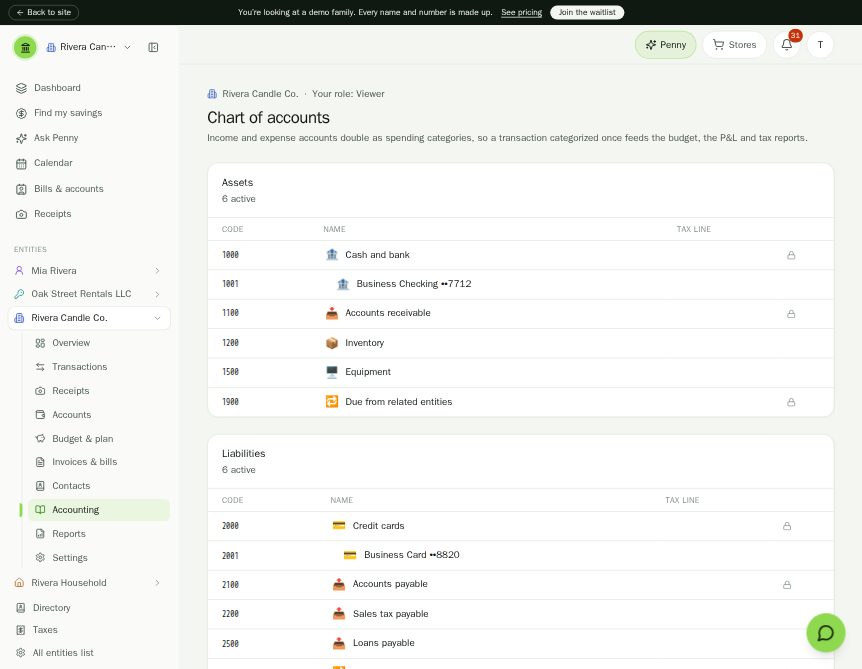
Real double-entry books for each entity; categories are accounts, so one categorization feeds the budget, P&L and tax reports.
Where it is in the app
Sidebar → click an entity → Accounting.
How it works
- 1Assets, Liabilities, Equity, Income and Expenses are listed with their codes and tax lines.
- 2Add your own category under any income or spending category; it inherits that category’s tax line unless you pick another. Nest as deep as you like.
- 3Locked rows are system accounts (like Due to related entities) that keep the books balanced.
- 4Reconciling lives on each account (Accounts → Reconcile with a statement). Closing months and the activity log are in the entity’s Settings.
Want this for your family?
Hold my spot, free